Most Software Architecture Documents fail their Architecture Review Board on the same six things — and almost none of those failures are about the architecture itself. This is the practical playbook for writing a SAD an ARB will actually approve: what to include, what to leave out, the diagrams that earn trust, and how to use AUTOSAD to generate 80% of it from your requirements.
After watching dozens of ARB sessions, the rejection patterns are remarkably consistent. Architectures rarely fail because they're wrong. They fail because the document doesn't let the board verify they're right within the 60 minutes everyone has on the calendar.
Here are the six failure modes that account for almost every "go back and revise":
Every section below targets one of these failure modes directly.
Before writing the SAD, you have to understand what it has to survive. A typical enterprise ARB runs a multi-gate review process — initiation, solution review, and architecture review — each with its own scoring rubric. Universities and large enterprises publish theirs publicly, and they're more similar than you'd think. The University of Ottawa documents a three-gate model that mirrors what most Fortune 1000 ARBs run today.
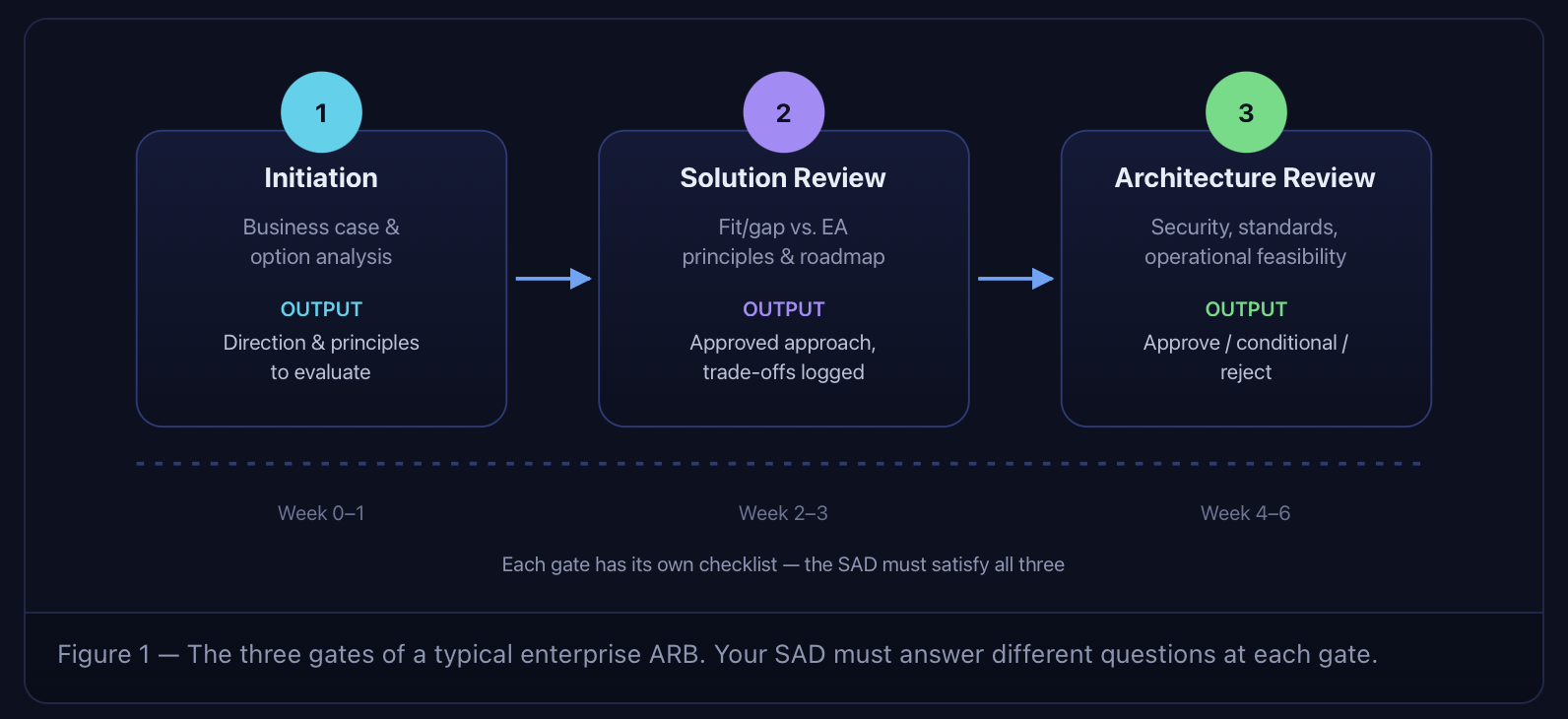
At each gate, board members are explicitly looking for evidence — not opinions. LeanIX's ARB reference lists the standard evaluation dimensions: strategic alignment, compliance & security, cost management, technical feasibility, performance & scalability, interoperability, and documentation quality. Your SAD has to make it easy for someone to tick a box against each.
The ISO/IEC/IEEE 42010 template is the lingua franca of architecture description. You don't need to follow it verbatim, but every section below maps to a "must" or "should" in 42010 — which means an ARB chair from any large enterprise will recognize the structure.
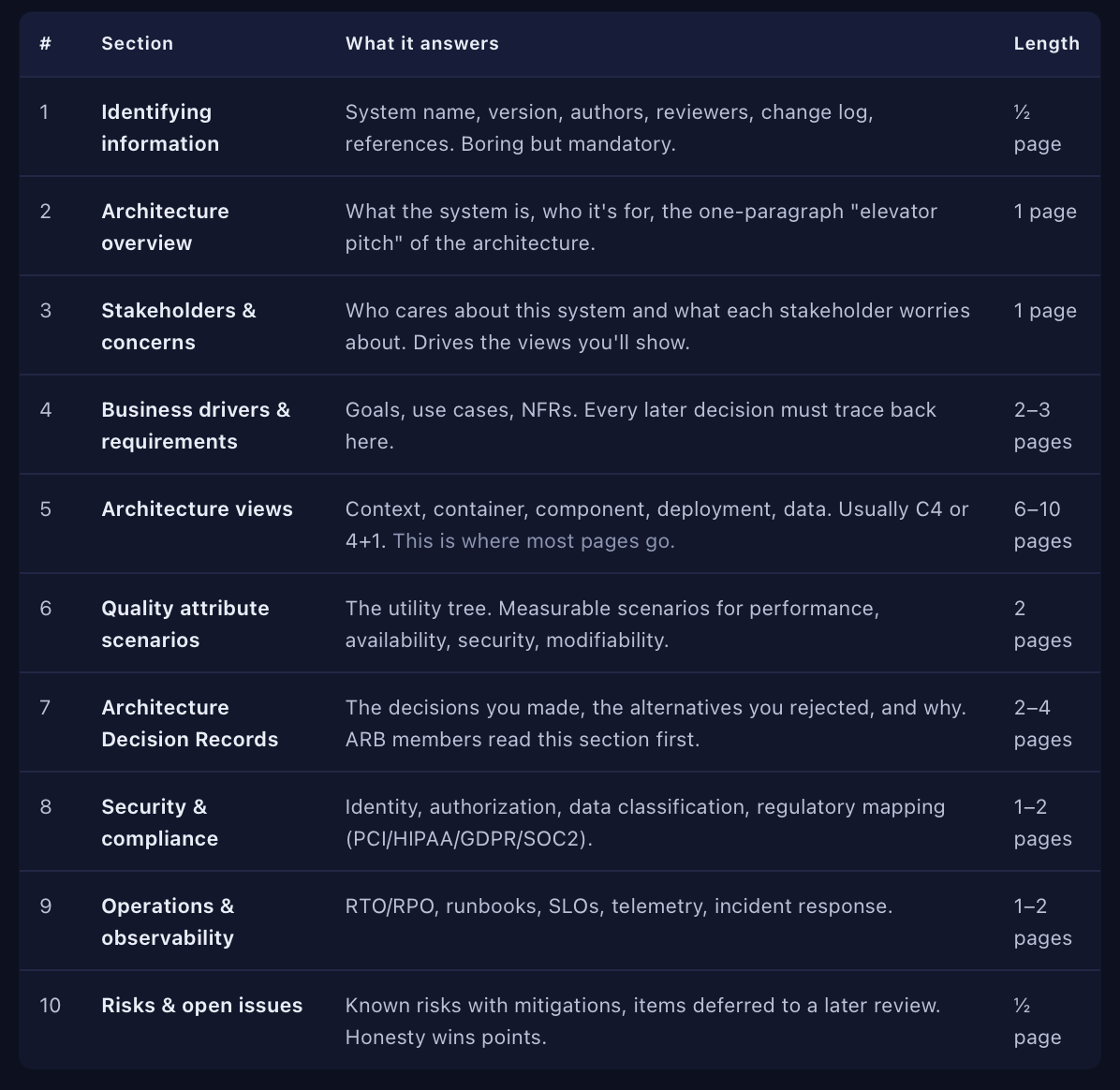
RULE OF THUMB: Aim for 18–25 pages total. ARB members will read the first three sections, skim views, and read decisions and risks in detail. Anything longer signals you don't know what's important.
All three frameworks are about the same idea — different audiences need different views — but for an ARB audience the C4 model wins on clarity and is what most modern enterprises now standardize on. It's four nested levels of zoom: System Context, Container, Component, and Code — only the first three belong in a SAD.
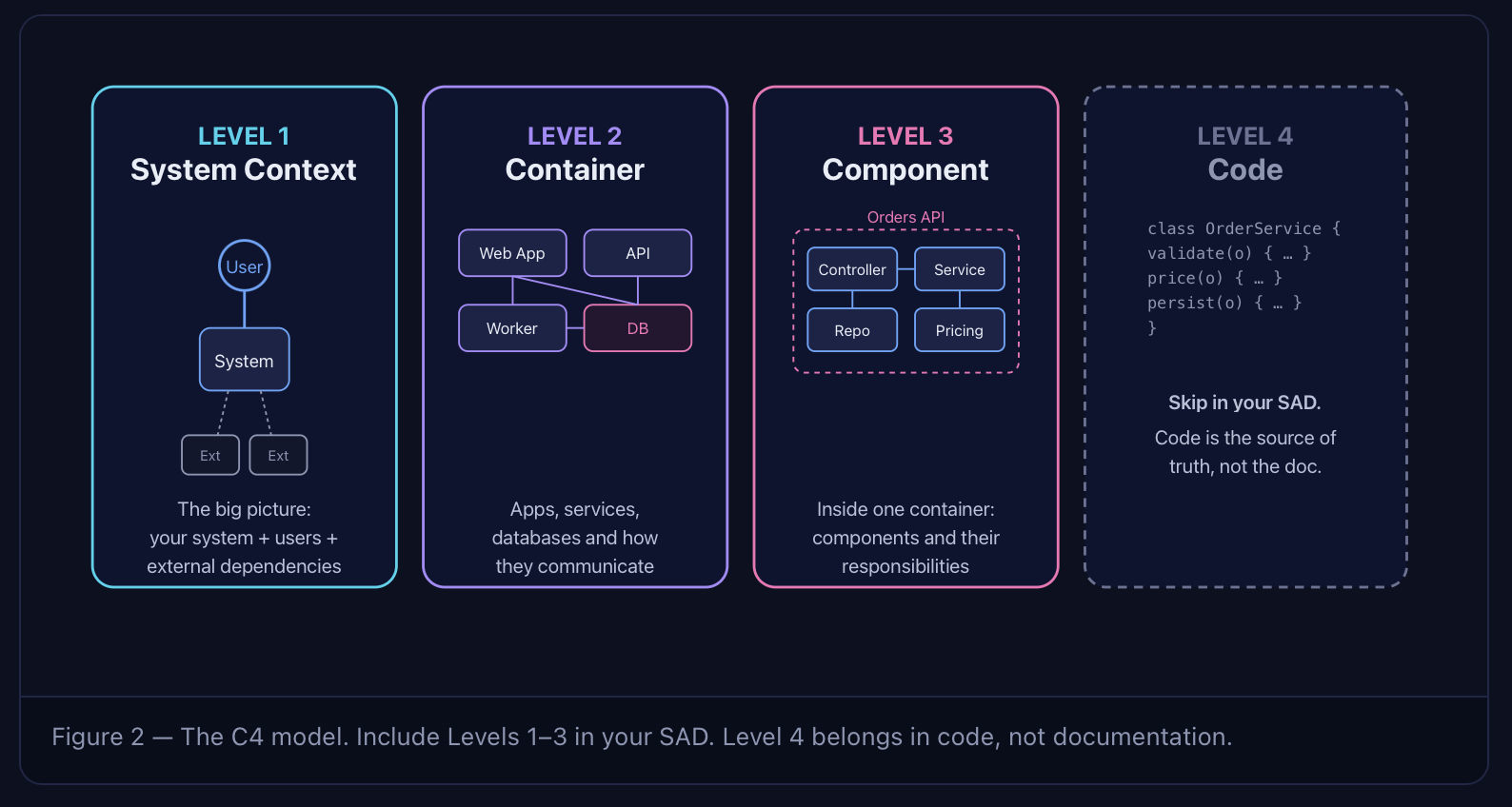
A complete C4 view set for the SAD usually means: one Context diagram, one Container diagram, and one Component diagram per significant container. Plus one Deployment diagram (the "C4 supplementary" diagram) for each target environment.
COMMON MISTAKE: Don't draw a Component diagram for every container. Pick the 2–3 containers whose internals matter for quality attributes the ARB cares about (usually anything handling auth, payments, or PII). Skip the trivial ones.
This is the section ARBs grade hardest, and it's where most SADs die. A quality attribute is not "the system should be fast." It's a scenario: a source, a stimulus, an environment, an artifact, a response, and a response measure.
The right way to organize them is the SEI's Quality Attribute Utility Tree, a top-down breakdown from utility → attribute → refinement → scenario. Each leaf gets two priorities: how important it is (H/M/L) and how hard it is for the architecture to deliver (H/M/L).
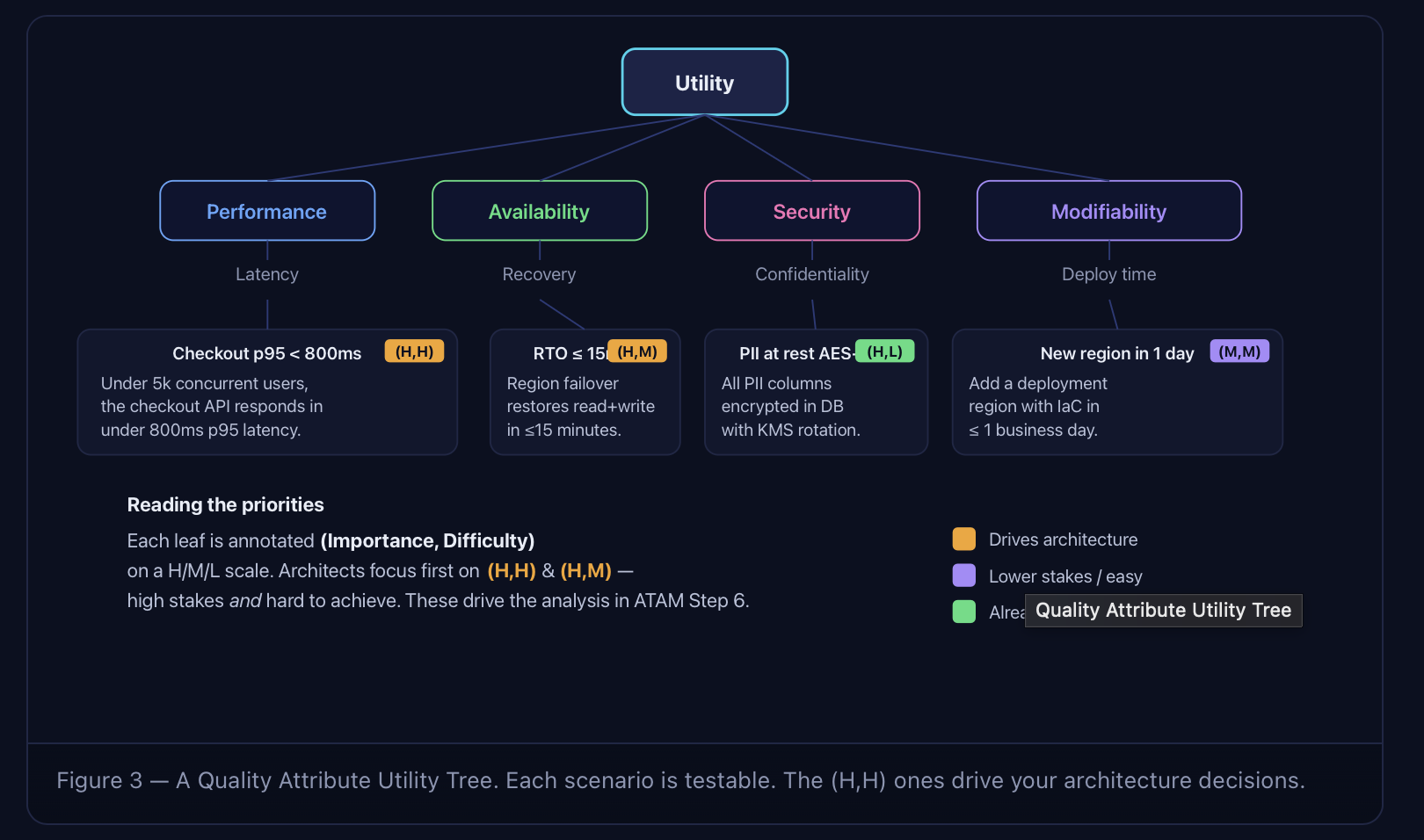
An ARB-grade scenario must have all six. Drop any one and the scenario is unprovable.
The Architecture Tradeoff Analysis Method (ATAM), developed by the SEI at Carnegie Mellon, is the gold-standard process most ARBs are informally running, whether they call it that or not. Knowing the nine steps means you can predict every question the board will ask before the meeting starts.
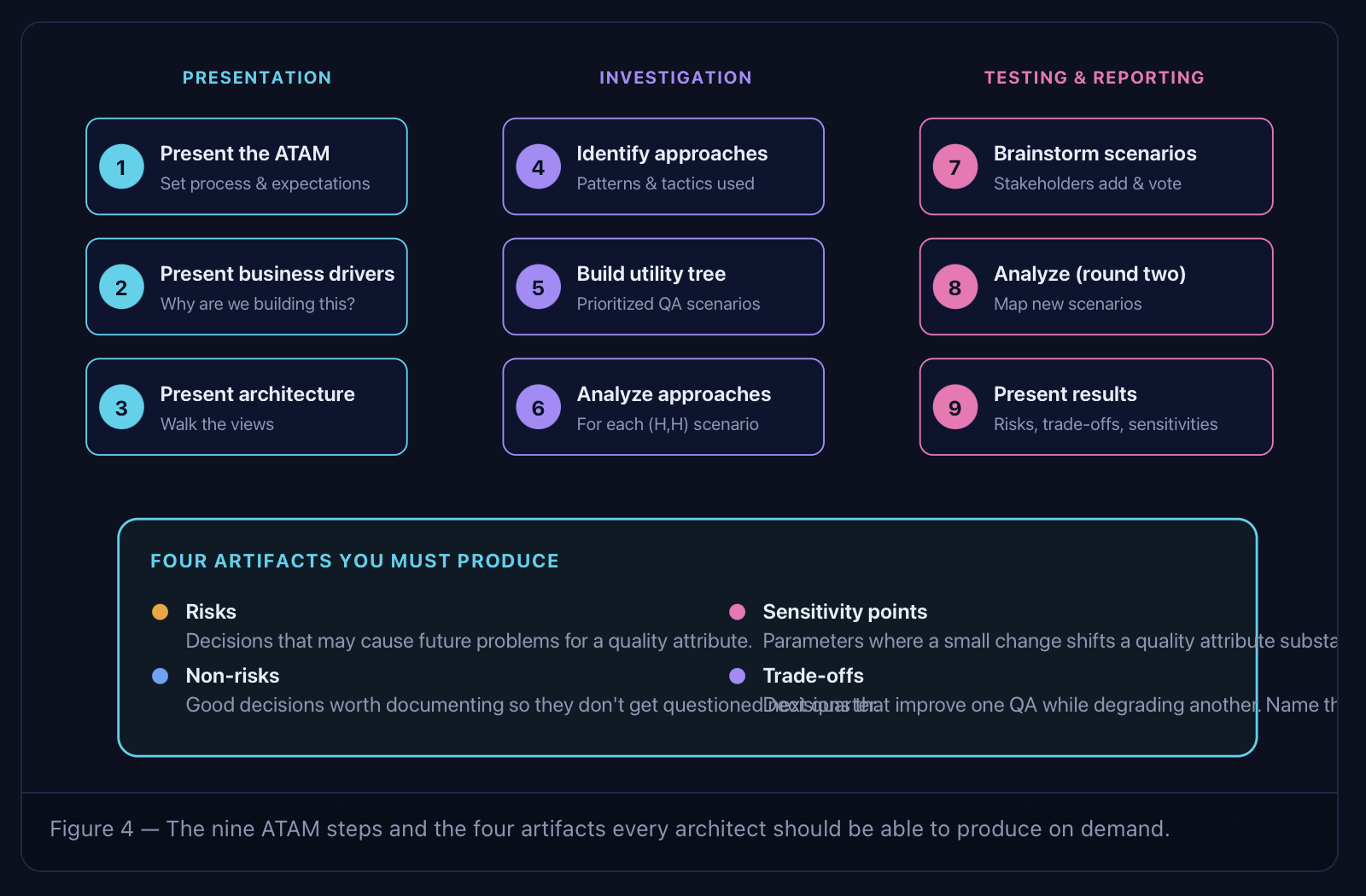
If your SAD already documents risks, non-risks, sensitivity points, and trade-offs for each high-priority quality attribute scenario, you've effectively pre-run ATAM. ARB sessions become a confirmation instead of an interrogation.
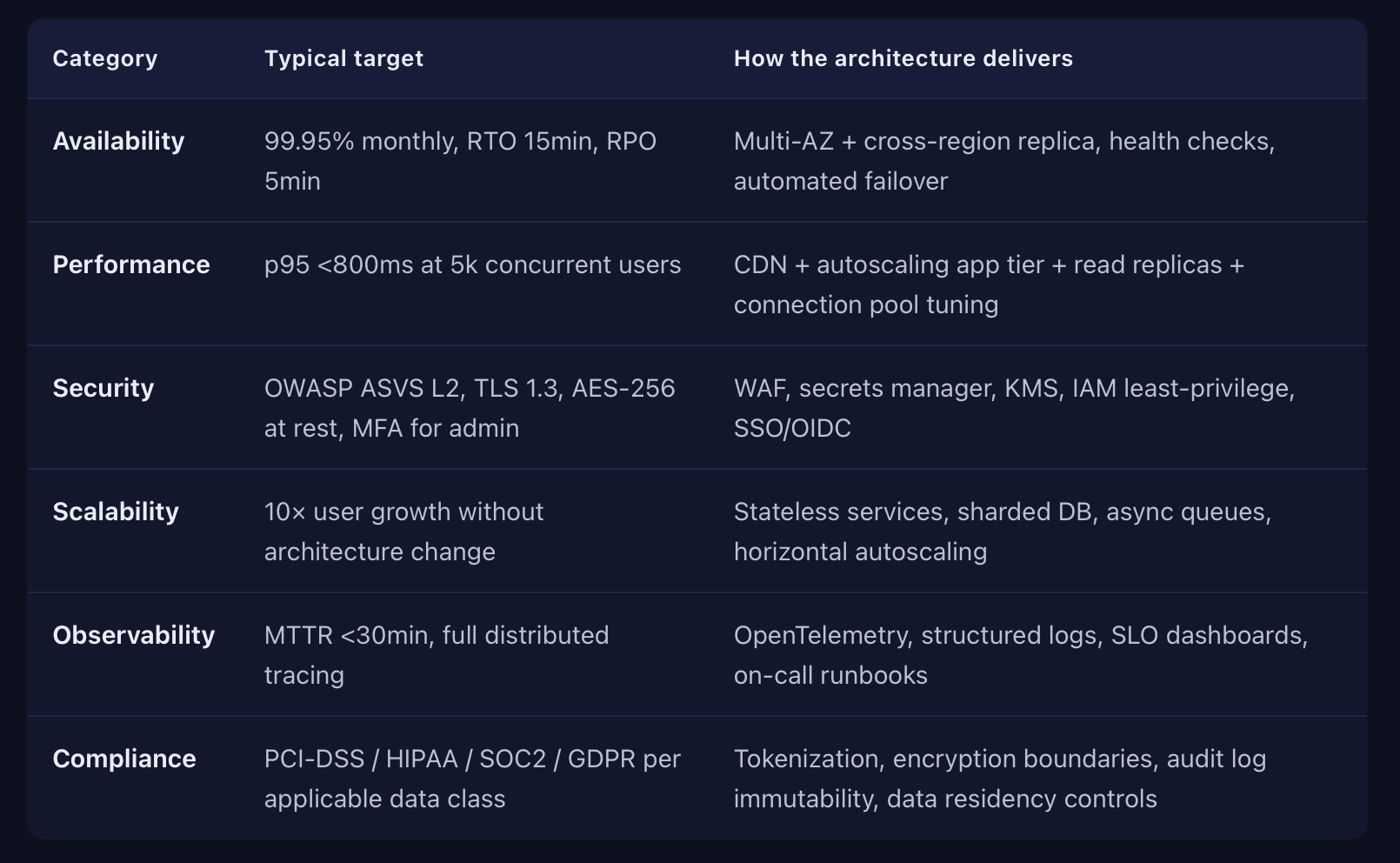
Every ARB I've watched scores NFRs against the same six categories. If your SAD has a one-line table mapping each NFR to a measurable target and the architectural mechanism that delivers it, you've already won 30% of the review.
The most-skipped, most-valuable section. An ADR captures one decision, the alternatives considered, and the trade-offs accepted. ARB members read ADRs first because they explain why— and that's where credibility lives.
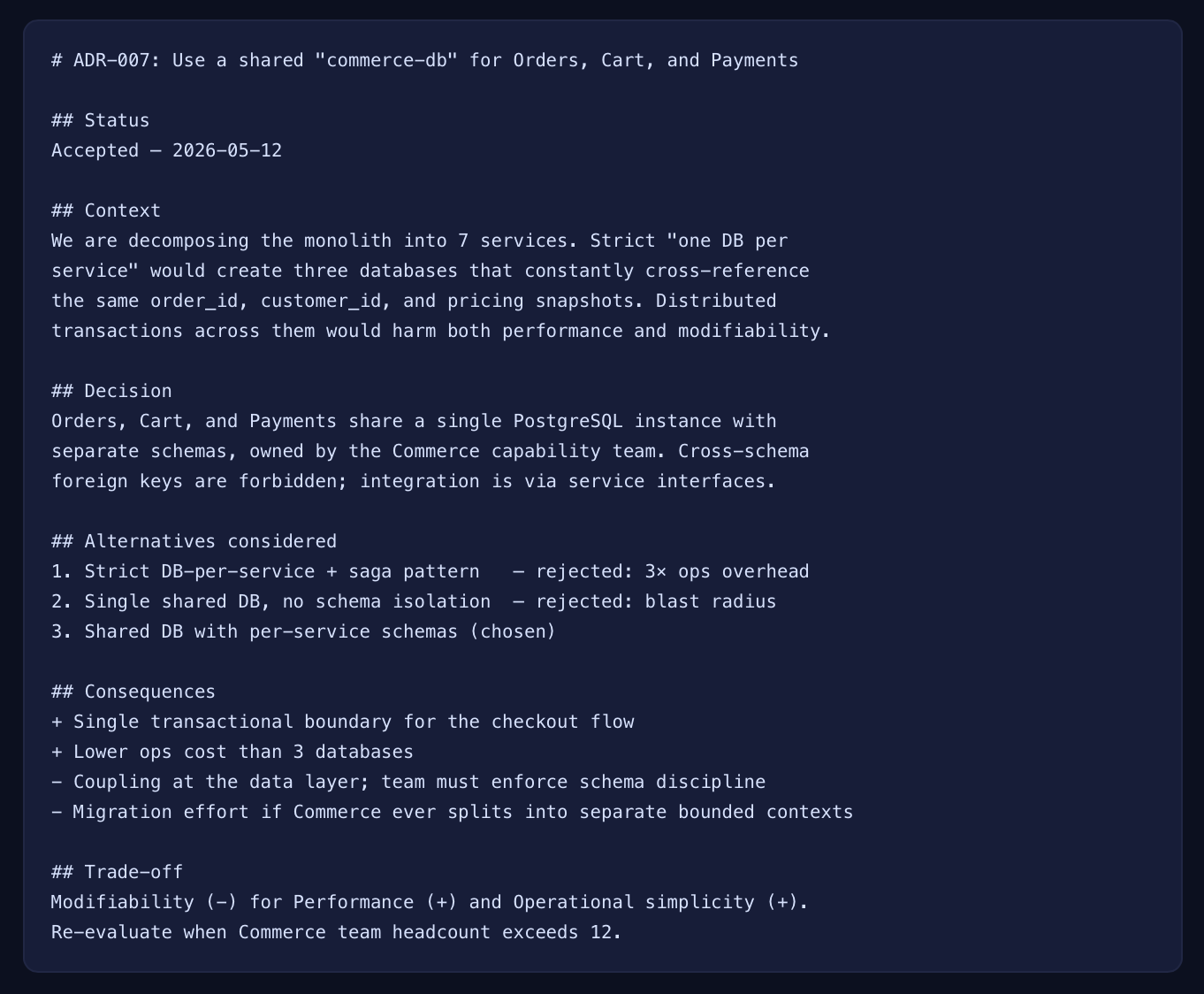
PATTERN: Aim for 6–12 ADRs in a typical SAD. One per architecturally significant decision. Number them, link them from the views they affect, and never delete an ADR — supersede it with a new one and link the chain.
Run your draft through this before the meeting. If you can't tick all 20 boxes, expect to be sent back.
Pre-ARB self-review checklist
Writing the document above takes the average architect 4–6 weeks per system. After 30 of these I built AUTOSAD because I was tired of the same week-long copy-paste between requirements docs, Visio, Confluence, and the ARB template. AUTOSAD generates each section directly from your requirements and keeps everything synchronized when those requirements change.
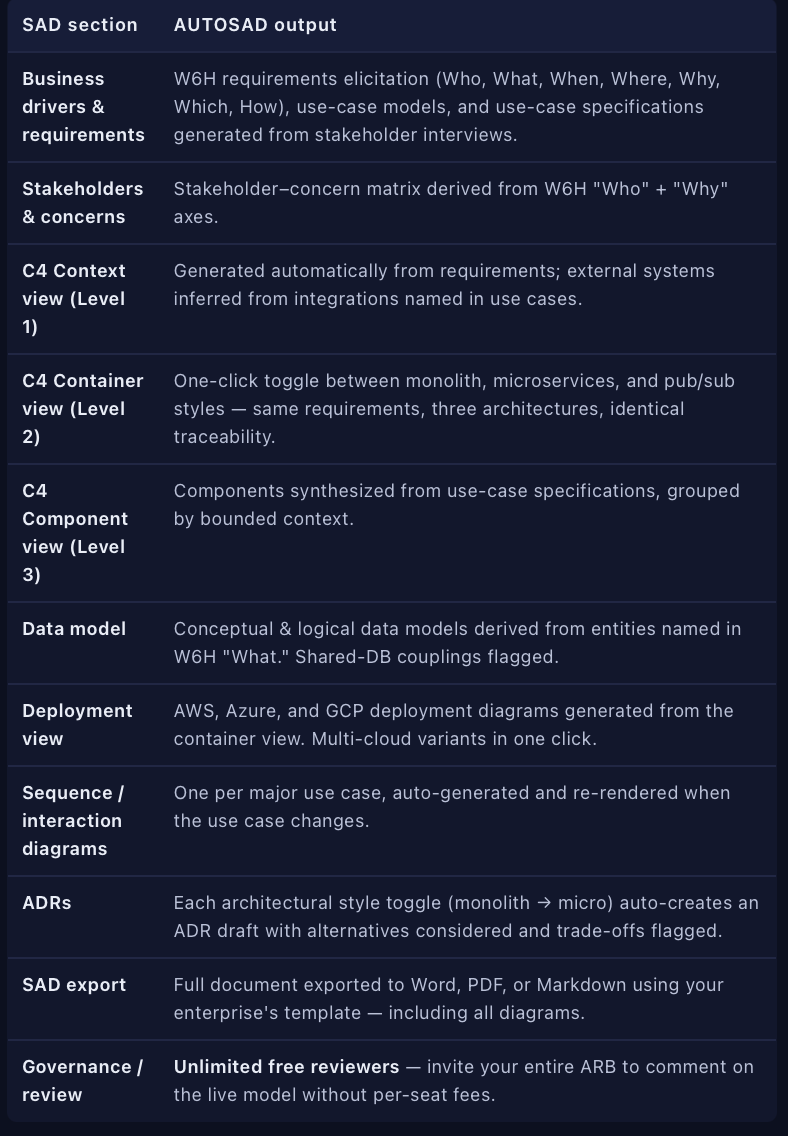
THE SYNCHRONIZATION POINT: The reason most SADs drift between sections is that each view lives in a different tool. In AUTOSAD, requirements, views, ADRs, and the exported document are one model. Change a requirement and every downstream artifact updates. The ARB sees the same single source of truth the architect sees.

That's a 5-day path to an ARB-ready document — most of the saved time goes into thinking about the architecture instead of formatting it.
Stop reformatting Word docs, start defending decisions: AUTOSAD turns your requirements into an ARB-ready Software Architecture Document — diagrams, ADRs, NFRs, and deployment views included. 30-day free trial, no credit card.